Introduction
BMW has long been recognized as a pioneer in blending luxury with technology. From driver-assistance systems to infotainment features, BMW continuously pushes the boundaries of automotive innovation.
One of the most significant advancements in recent years is the BMW software update system. This feature allows BMW owners to keep their vehicles up-to-date with the latest functions, performance improvements, and security patches—without needing to visit a dealership every time.
In today’s digital age, cars are no longer just mechanical machines; they are connected devices on wheels.
This makes regular software updates just as important as oil changes or tire rotations. In this article, we will break down everything you need to know about BMW software updates: what they are, why they matter, how to perform them, and what future trends to expect.
What is a BMW Software Update?
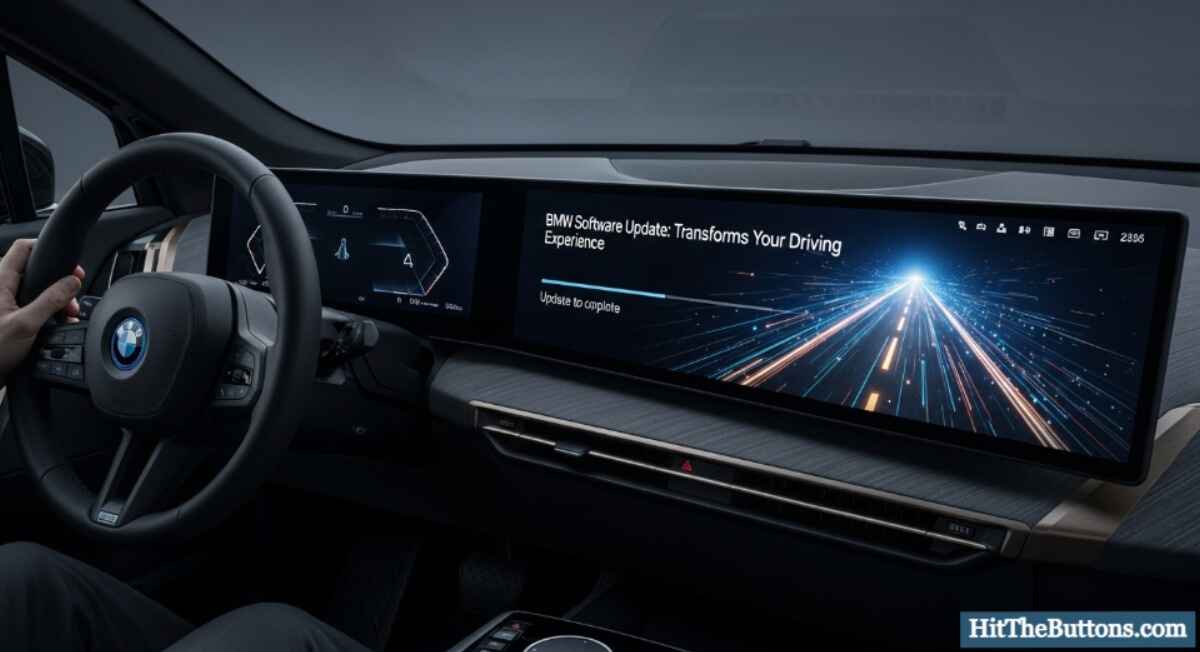
A BMW software update refers to the process of upgrading the digital systems in your vehicle. Just like updating a smartphone or computer, these updates improve performance, add new features, and fix bugs. BMW calls this feature Remote Software Upgrade (RSU), allowing updates to be downloaded directly via mobile connectivity.
Key Systems Covered by BMW Software Updates:
- Infotainment & Navigation: Enhancements to iDrive, maps, and multimedia functions.
- Driver Assistance: Updates for adaptive cruise control, lane-keeping, and parking systems.
- Performance Optimization: Adjustments to engine management, fuel efficiency, and battery performance (for electric models).
- Security & Connectivity: Fixes for potential vulnerabilities and improvements to smartphone integration.
Why BMW Software Update is Important
1. Enhanced Driving Experience
Regular updates ensure that drivers enjoy the latest BMW technologies, whether it’s a smoother navigation system or improved voice commands.
2. Improved Vehicle Safety
Updates often include patches for safety systems like collision warning or emergency braking, keeping you and your passengers protected.
3. Cost Savings
By fixing bugs and optimizing systems remotely, software updates reduce the need for unnecessary workshop visits.
4. Sustainability & Efficiency
Electric BMW models benefit from optimized battery management, which extends driving range and reduces environmental impact.
5. Future-Proofing Your Car
As BMW introduces new digital features, older vehicles can also gain access to them, ensuring your car doesn’t feel outdated.
How Does a BMW Software Update Work?
BMW makes the process as simple as possible for drivers. The system works similarly to a smartphone update.
Step-by-Step BMW Software Update Process:
- Notification: The BMW iDrive system notifies you when a new update is available.
- Download: Updates can be downloaded via the My BMW App or directly over-the-air using your car’s built-in SIM card.
- Transfer (if using app): If downloaded on the My BMW App, transfer the update to your car via Bluetooth or Wi-Fi.
- Installation: Once downloaded, you can start installation when the car is parked. The update usually takes around 20 minutes.
- Completion: After installation, your BMW restarts its system and runs with the latest software version.
Types of BMW Software Update
BMW software updates can be divided into categories based on what they improve.
1. Infotainment & iDrive Updates
- Upgraded voice control
- New themes for digital displays
- Better smartphone compatibility
2. Navigation Updates
- Updated maps with real-time traffic data
- Improved route planning algorithms
3. Performance & Battery Management Updates
- Engine optimization for fuel efficiency
- Extended electric driving range
- Adaptive regenerative braking improvements
4. Security & Bug Fixes
- Protection against cyber threats
- Resolving glitches in existing features
BMW Software Update vs. Dealership Update
It’s important to note that not all updates are available over-the-air.
| Feature | Remote Software Update | Dealership Update |
| Convenience | Done at home | Requires appointment |
| Coverage | Infotainment, connectivity, minor performance tweaks | Major system upgrades, recalls, hardware-related updates |
| Time Required | 20–30 minutes | Several hours |
| Cost | Free | May incur labor costs (if outside warranty) |
Common BMW Software Update Issues & Solutions
Even though updates are designed to be seamless, some users face challenges.
Common Problems:
- Update not downloading: Usually due to poor internet connection.
- Update fails to install: Car not parked or system interruptions.
- Features missing after update: Certain updates roll out regionally and may not appear immediately.
Solutions:
- Ensure strong Wi-Fi or mobile connection.
- Keep the vehicle stationary during installation.
- Check My BMW App for update status and instructions.
- Contact BMW support for persistent issues.
Real-World Example: BMW iX Software Update
In 2023, BMW released a software update for its iX electric SUV. This upgrade included:
- Extended driving range through improved battery management.
- Enhanced driver-assistance system with better lane detection.
- Expanded voice control features with natural language recognition.
This example highlights how a simple update can transform the driving experience overnight.
Expert Insights on BMW Software Updates
Industry experts view BMW’s approach to software updates as part of the broader “software-defined vehicle” revolution. Cars are no longer defined only by hardware but also by digital ecosystems that evolve over time.
- Automotive analysts believe this keeps vehicles competitive for longer, delaying the need for frequent model replacements.
- Tech experts note that BMW’s software-first strategy improves customer loyalty since drivers can access new features without upgrading their cars.
Future of BMW Software Update
BMW is continuously expanding its digital ecosystem. Future updates are expected to include:
- Autonomous Driving Features: More advanced driver-assistance improvements.
- Personalized AI Integration: Learning driver preferences for a tailored experience.
- Subscription-Based Features: Unlocking premium features like heated seats or advanced navigation via software.
- Integration with Smart Homes: Seamless control of smart devices directly from your BMW dashboard.
BMW Software Update
To get the most out of your BMW software updates:
- Always keep the My BMW App updated.
- Enable automatic notifications for updates.
- Perform installations when you don’t need the car (e.g., overnight).
- Review release notes to understand new features.
- Regularly check for updates instead of waiting for notifications
Conclusion
The BMW software update is more than just a convenience—it’s a vital part of modern car ownership.
By keeping your BMW’s systems up-to-date, you benefit from enhanced safety, improved performance, and access to the latest digital features. Just like smartphones and computers, cars are now living digital ecosystems that evolve with each update.
For BMW owners, this means driving a vehicle that stays relevant, secure, and cutting-edge long after it leaves the showroom.